
If you self-host services at home, your ISP probably gives you a dynamic IP. When it changes, your DNS records go stale and your services go unreachable.
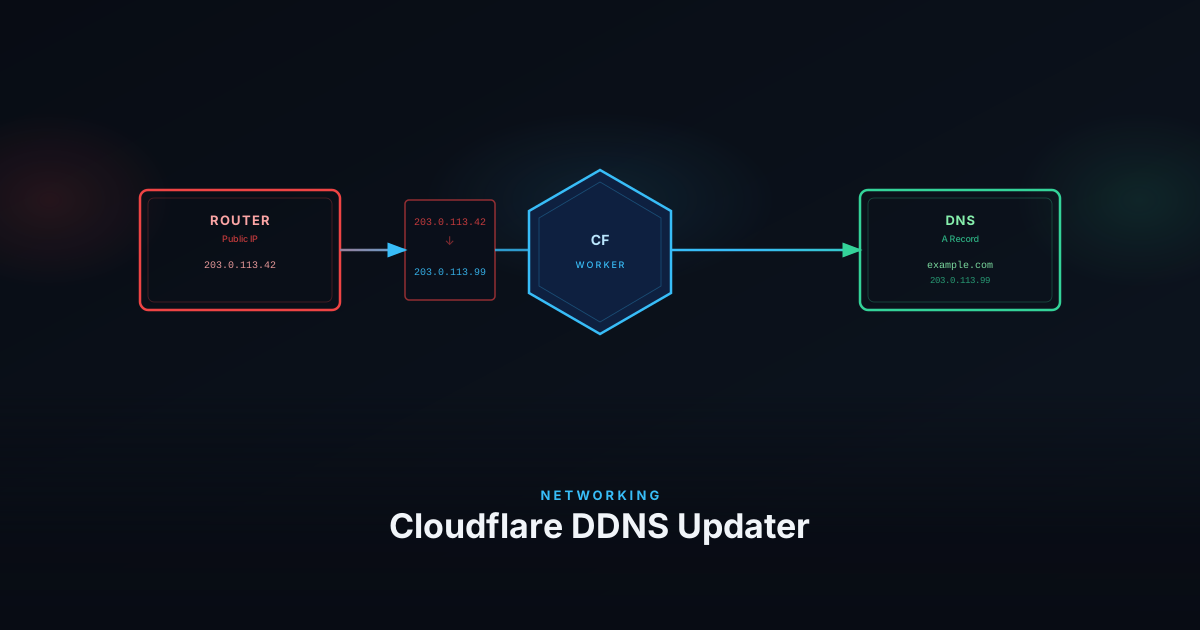
This guide walks through deploying a Cloudflare Worker that acts as a DDNS endpoint. Your router sends a periodic HTTPS request to it, the Worker reads your public IP from the CF-Connecting-IP header — no need for the router to know or send it — and updates the DNS A record via the Cloudflare API. No external IP lookup service, no Docker, no server.
The full source is available on GitHub .
Prerequisites
- A domain managed by Cloudflare
- Node.js and Wrangler installed
- A Cloudflare API token with DNS edit permissions
Create a Cloudflare API Token
Go to Cloudflare Dashboard → My Profile → API Tokens → Create Token.
Use the Edit zone DNS template and scope it to the specific zone (domain) you want to manage.
You also need your Zone ID, found in the overview sidebar of your domain in the Cloudflare Dashboard.
Create a Placeholder DNS Record
The Worker updates an existing A record — it won’t create one if it doesn’t exist. Before deploying, add a placeholder A record in the Cloudflare dashboard for the hostname you want to keep updated (e.g. home.yourdomain.com). Any IP will do for now.
Set Up the Worker
Clone the repository and install dependencies:
git clone https://github.com/svenvg93/ddns-worker.git
cd ddns-worker
npm installThe repository is a GitHub template. If you want to keep the Worker linked to your own Git repo, click Use this template on the GitHub page to create your own copy and clone that instead.
Configure the domain
Edit wrangler.toml and set the hostname where the Worker will be reachable:
name = "ddns-worker"
main = "src/index.ts"
compatibility_date = "2024-03-05"

workers_dev = false
preview_urls = false

[[routes]]
pattern = "ddns.yourdomain.com"
custom_domain = trueSet secrets
Store credentials and API details as Worker secrets — these are never exposed in code or config:
wrangler secret put DDNS_USERNAME
wrangler secret put DDNS_PASSWORD
wrangler secret put ZONE_ID
wrangler secret put CF_API_TOKENWrangler will prompt you to enter each value interactively.
Deploy
npm run deployWrangler will build and deploy the Worker to your Cloudflare account and attach it to the domain you configured.
Verify
Test the endpoint with curl:
curl -X GET "https://ddns.yourdomain.com/?hostname=home.yourdomain.com" -u "username:password"A successful response looks like:
{ "success": true, "message": "Updated home.yourdomain.com", "clientIP": "203.0.113.42" }Check your Cloudflare DNS dashboard to confirm the A record was updated.
Configure Auto-Updates
Any device that can send a scheduled HTTP request works as the trigger:
- MikroTik — use
/system schedulerwith/tool/fetch - OpenWrt — use
cronwithcurl - pfSense / OPNsense — use the built-in DDNS service with a custom URL, or a cron job with
curl - Linux / Raspberry Pi — add a
crontabentry withcurl - Synology NAS — use Task Scheduler with a script calling
curl
The endpoint is a standard HTTP GET with basic auth, so anything that can make an HTTP request will work.
Wrapping Up
You now have a self-hosted DDNS updater that runs entirely within Cloudflare — no extra services, no third-party accounts, and no infrastructure to maintain. Your router talks directly to your own Worker, which updates your DNS record using credentials only you control.