
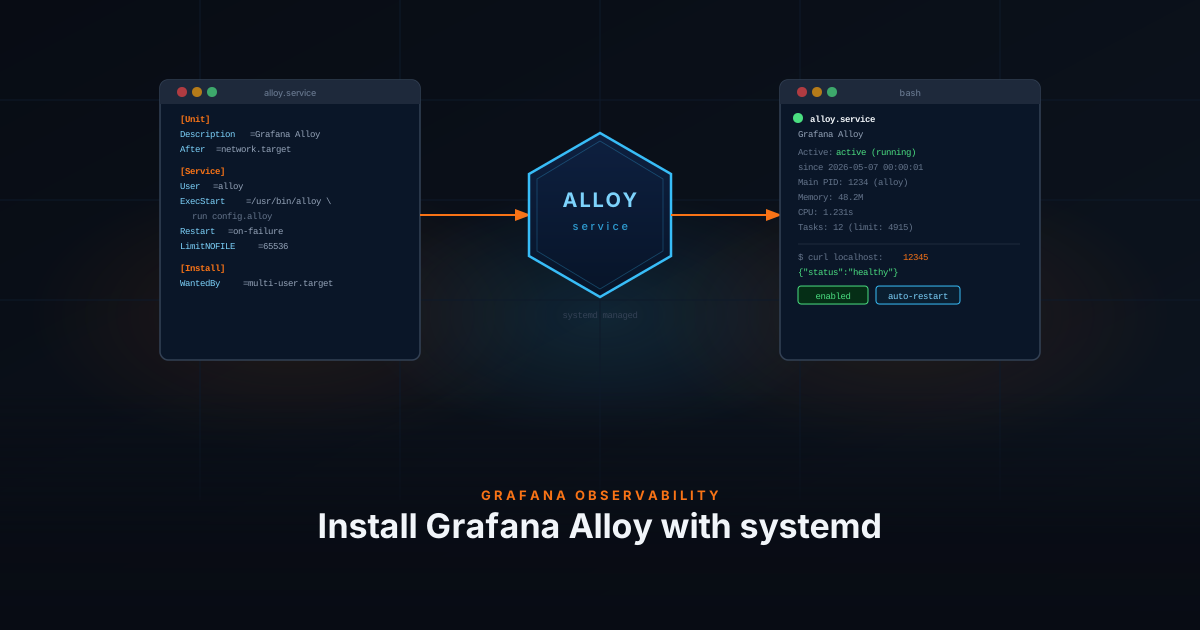
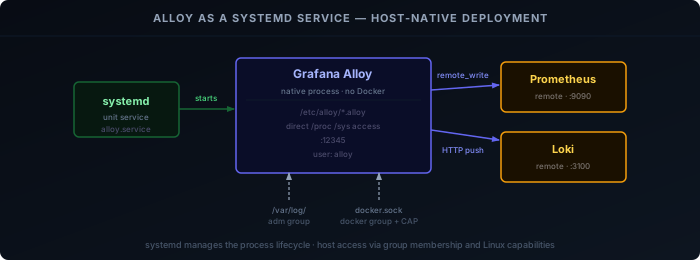
The first post in this series runs Alloy as a Docker container. That works well, but it requires volume mounts to access host resources like /var/log or the Docker socket. Running Alloy as a systemd service instead gives it direct access to the host — no mounts needed, and it starts earlier in the boot process than Docker.
This post covers installing Alloy via the Grafana apt repository, configuring it to load a directory of .alloy files, and wiring it up to the same Prometheus and Loki stack from the rest of the series.
Prerequisites
- Prometheus running and reachable at
http://<HOST>:9090 - Loki running and reachable at
http://<HOST>:3100 - Debian or Ubuntu-based host
Install
Add the Grafana apt repository and install the alloy package:
sudo apt-get install -y apt-transport-https software-properties-common wget

sudo mkdir -p /etc/apt/keyrings/
wget -q -O - https://apt.grafana.com/gpg.key | gpg --dearmor | sudo tee /etc/apt/keyrings/grafana.gpg > /dev/null

echo "deb [signed-by=/etc/apt/keyrings/grafana.gpg] https://apt.grafana.com stable main" | \
  sudo tee /etc/apt/sources.list.d/grafana.list

sudo apt-get update
sudo apt-get install -y alloyThe package creates an alloy system user, installs the binary at /usr/bin/alloy, and registers a systemd unit. It does not start automatically after install.
Configure
Startup flags
The systemd unit reads startup options from /etc/default/alloy. Edit it to load a config directory instead of a single file:
sudo nano /etc/default/alloyCONFIG_FILE="/etc/alloy/config/"
CUSTOM_ARGS="--server.http.listen-addr=0.0.0.0:12345"
STATE_DIRECTORY="/var/lib/alloy"Setting CONFIG_FILE to a directory tells Alloy to load every .alloy file inside it — the same pattern used in the Docker setup.
By default Alloy only listens on localhost:12345, so CUSTOM_ARGS is used here to expose the web UI on all interfaces. This is optional.
Create the config directory
sudo mkdir -p /etc/alloy/configEndpoints
Create endpoint.alloy to define where metrics and logs are written. All other config files reference these by name:
sudo nano /etc/alloy/config/endpoint.alloyloki.write "default" {
endpoint {
url = "http://<HOST>:3100/loki/api/v1/push"
}
}
prometheus.remote_write "default" {
endpoint {
url = "http://<HOST>:9090/api/v1/write"
}
}Replace <HOST> with the IP or hostname of your Prometheus and Loki instances.
Self-monitoring
Create self.alloy to have Alloy report its own health metrics to Prometheus:
sudo nano /etc/alloy/config/self.alloyprometheus.exporter.self "alloy_metrics" {}
prometheus.scrape "alloy_metrics" {
targets = prometheus.exporter.self.alloy_metrics.targets
scrape_interval = "60s"
forward_to = [prometheus.remote_write.default.receiver]
}Fix permissions
Config files must be readable by the alloy user:
sudo chown -R alloy:alloy /etc/alloy/config
sudo chmod -R 750 /etc/alloy/configPermissions
The alloy user only has access to its own files by default. If you plan to collect system logs or Docker container stats and logs, you need to grant it read access to those resources.
System logs (/var/log):
sudo usermod -aG adm alloyDocker container logs and stats:
Adding the alloy user to the docker group is not enough — Docker’s cgroup files and log directories are owned by root and require CAP_DAC_READ_SEARCH to traverse. Create a systemd drop-in to grant that capability:
sudo mkdir -p /etc/systemd/system/alloy.service.d
sudo tee /etc/systemd/system/alloy.service.d/capabilities.conf <<'EOF'
[Service]
AmbientCapabilities=CAP_DAC_READ_SEARCH
CapabilityBoundingSet=CAP_DAC_READ_SEARCH
EOF
sudo systemctl daemon-reload
sudo usermod -aG docker alloyA service restart is required after any permission change.
Start
Enable and start the service:
sudo systemctl enable alloy
sudo systemctl start alloyCheck that it came up cleanly:
sudo systemctl status alloyYou should see active (running). If it failed, check the journal:
sudo journalctl -u alloy -n 50Verify
Confirm Alloy is healthy and listening:
curl -s http://localhost:12345/-/healthyOpen the Alloy web UI at http://<HOST_IP>:12345 and verify all components show green. The prometheus.remote_write.default and loki.write.default components should both be running.
What’s Next
With Alloy running as a systemd service, add collectors the same way as the Docker setup — drop a new .alloy file into /etc/alloy/config/ and reload:
sudo systemctl reload alloy- Host & Container Monitoring — CPU, memory, disk, and Docker container metrics
- Log Monitoring with Loki — system logs and Docker container logs