
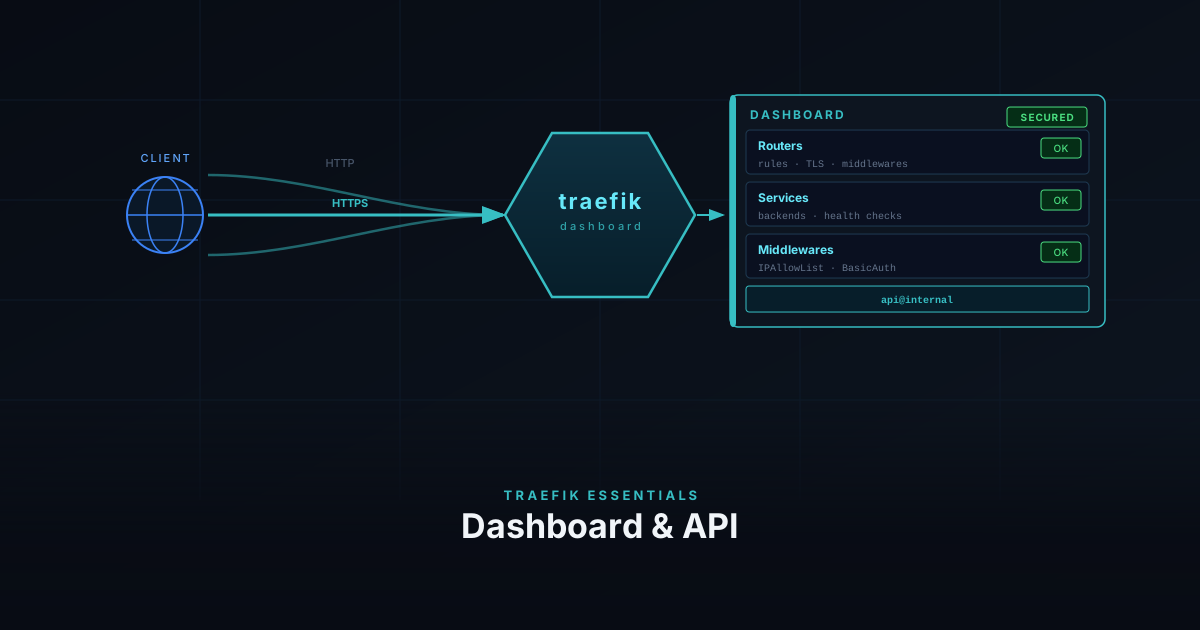
The Traefik dashboard gives you a live view of everything Traefik has loaded — routers, services, middlewares, and entry points. It is the first place to check when a service is not routing correctly, and the API that powers it can be queried directly from the terminal.
Prerequisites
- Traefik running from the Docker setup or bare metal install
- The
lan-onlyandmy-authmiddlewares from the Middlewares guide
What the Dashboard Shows
The dashboard has four sections:
- Routers — every routing rule Traefik has loaded, with its current status (green = active, red = error)
- Services — the backends requests are forwarded to, including health check state
- Middlewares — all defined middlewares and which routers they are attached to
- Entry Points — the ports Traefik is listening on (typically
web :80andwebsecure :443)
When a service is not routing, the dashboard tells you whether the router was picked up, whether the TLS certificate resolved, and whether a middleware is rejecting the request before it reaches the service.
Initial Access
From the setup guide, the dashboard is already available on http://<server-ip>:8080 via --api.insecure=true. That is convenient for initial testing, but it exposes the API over plain HTTP with no authentication.
The better approach is to route the dashboard through Traefik itself — behind TLS and your existing middlewares.
Securing the Dashboard
The dashboard is served by api@internal, a built-in Traefik service. You create a router that points to it and attach middlewares exactly as you would for any other service.
Docker
Remove --api.insecure=true from your command flags and add a router via labels on the Traefik container itself:
command:
  - "--api=true"
  - "--api.dashboard=true"
  # remove: --api.insecure=true
  # ... rest of your existing flags

labels:
  - "traefik.enable=true"
  - "traefik.http.routers.dashboard.rule=Host(`traefik.example.com`)"
  - "traefik.http.routers.dashboard.entrypoints=websecure"
  - "traefik.http.routers.dashboard.tls=true"
  - "traefik.http.routers.dashboard.tls.certresolver=le"
  - "traefik.http.routers.dashboard.service=api@internal"
- "traefik.http.routers.dashboard.middlewares=lan-only,my-auth"Replace traefik.example.com with your domain and point a DNS record to your server.
Bare Metal
Add a dynamic config file for the dashboard router. The rule must cover both /api and /dashboard path prefixes — the dashboard UI calls the API internally:
http:
  routers:
    dashboard:
      rule: "Host(`traefik.example.com`) && (PathPrefix(`/api`) || PathPrefix(`/dashboard`))"
      entryPoints: [websecure]
      middlewares: [lan-only, my-auth]
      service: api@internal
      tls:
certResolver: letsencryptUpdate your static config to disable insecure mode:
api:
  dashboard: true
insecure: falseRestart Traefik to apply:
sudo systemctl restart traefikQuerying the API
The API is available under the same domain as the dashboard and accepts the same BasicAuth credentials:
# list all HTTP routers
curl -s -u admin:your-password https://traefik.example.com/api/http/routers | jq

# list all HTTP services
curl -s -u admin:your-password https://traefik.example.com/api/http/services | jq

# list all middlewares
curl -s -u admin:your-password https://traefik.example.com/api/http/middlewares | jqThe full endpoint reference is in the Traefik API documentation .